
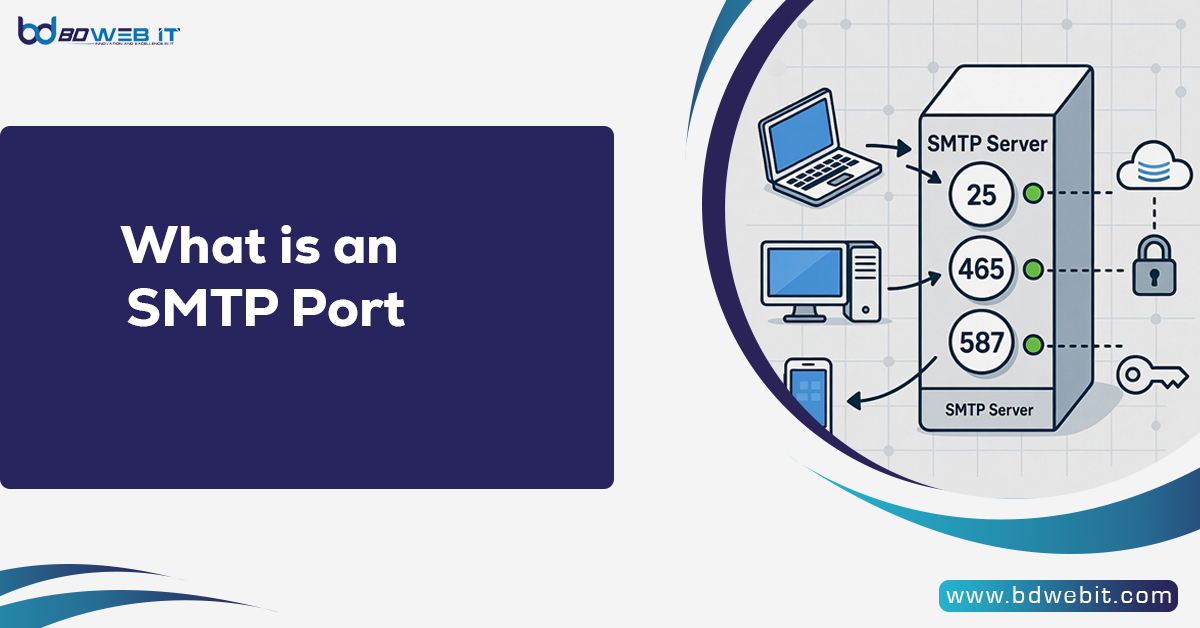
An SMTP port is a specific communication endpoint used by the Simple Mail Transfer Protocol (SMTP) to send email messages between mail servers and from email clients to mail servers. In simple terms, it is a numbered gateway that determines how email traffic is transmitted over a network. Without the correct SMTP port, your outgoing emails may fail to send, get blocked, or end up in spam folders.
Now let’s explore SMTP ports in detail, how they work, and which ones you should use for better email deliverability.
Understanding SMTP and How It Works
SMTP is the standard protocol responsible for sending emails across the Internet. When you click “Send” on your email client (like Outlook, Thunderbird, or a webmail platform), the message is transferred to your outgoing mail server using SMTP. From there, the server communicates with recipient’s mail server.
SMTP works alongside:
- IMAP (Internet Message Access Protocol)
- POP3 (Post Office Protocol)
However, SMTP is specifically for sending email, not receiving it.
Why SMTP Ports Are Important
An SMTP port acts as a channel that allows email data to move securely between servers. Each port number corresponds to a specific type of connection and security method.
If you configure the wrong SMTP port:
- Emails may not send
- Connection may time out
- Emails may be blocked by ISPs
- Your domain reputation could suffer
Correct SMTP port configuration improves:
- Email deliverability
- Security (SSL/TLS encryption)
- Spam protection
- Server compatibility
Common SMTP Ports Explained
Here are the most commonly used SMTP ports:
1. Port 25 (Default SMTP Port)
The original SMTP port used for server-to-server email communication is Port 25.
Best used for:
- Mail server to mail server communication
Limitations:
- Often blocked by ISPs
- Not secure by default
- Vulnerable to spam abuse
Today, mail servers mostly use Port 25 for relaying emails, not for client email submission.
2. Port 587 (Recommended SMTP Port)
The modern standard for email sending is port 587.
Best used for:
- Sending email from email clients
- Authenticated SMTP connections
Security:
- Supports STARTTLS encryption
Port 587 is highly recommended for businesses and website email configurations because it ensures authentication and secure transmission.
3. Port 465 (SMTP over SSL)
The authorities initially deprecated Port 465 but later reassigned it for SMTP over SSL.
Best used for:
- Secure SMTP with SSL encryption
Security:
- Uses implicit SSL/TLS encryption
Many hosting providers still support Port 465 for secure email transmission.
4. Port 2525 (Alternative SMTP Port)
Port 2525 is not officially assigned for SMTP, but is widely supported as an alternative when other ports are blocked.
Best used for:
- Backup option
- When Port 25 or 587 is blocked
Many cloud hosting companies recommend Port 2525 for better connectivity.
SMTP Port Comparison Table
| Port | Encryption Type | Recommended Use | ISP Blocking Risk |
|---|---|---|---|
| 25 | None / STARTTLS | Server relay | High |
| 587 | STARTTLS | Email submission | Low |
| 465 | SSL/TLS | Secure submission | Low |
| 2525 | STARTTLS | Alternative submission | Very Low |
Which SMTP Port Should You Use?
For most users and businesses:
- ✅ Use Port 587 (Best practice)
- ✅ Use Port 465 (If SSL is required)
- ❌ Avoid Port 25 for email clients
If you are running a website, eCommerce store, or bulk email system, proper SMTP port selection is critical for maintaining deliverability and avoiding spam filters.
SMTP Ports and Email Security
Security is one of the biggest reasons why SMTP ports matter.
SSL (Secure Sockets Layer)
SSL encrypts the connection immediately upon establishing communication. Port 465 uses SSL.
TLS (Transport Layer Security)
TLS upgrades a plain connection into an encrypted one. Port 587 typically uses STARTTLS.
Encryption helps:
- Protect login credentials
- Prevent data interception
- Improve trust with email providers
- Increase inbox placement rate
SMTP Ports in Web Hosting
If you are using cPanel, WHM, or cloud hosting services, you will typically configure SMTP in:
- WordPress SMTP plugins
- Email marketing tools
- eCommerce platforms
- CRM systems
Correct SMTP port configuration ensures:
- Website contact forms work
- Order confirmation emails send properly
- We deliver password reset emails.
- Newsletter campaigns avoid spam folders
SMTP Ports and Email Deliverability
Email providers like Gmail, Yahoo, and Outlook analyze multiple factors for inbox placement. SMTP port selection plays a role in:
- Authentication validation
- Encryption strength
- Server reputation
- Spam filtering
Using modern ports (587 or 465) improves trust signals and reduces bounce rates.
Common SMTP Port Errors
Incorrect SMTP port settings cause common issues.
- Connection refused error
- Authentication failure
- Timeout error
- SSL handshake failure
- Emails stuck in queue
Always verify:
- Correct port number
- Encryption method (SSL/TLS)
- SMTP hostname
- Username and password
How to Configure SMTP Port (Basic Steps)
Although the exact steps vary by platform, here is a general guide:
- Go to your email client or website SMTP settings
- Enter SMTP hostname (e.g., mail.yourdomain.com)
- Choose Port 587 or 465
- Enable SSL/TLS
- Enter authentication credentials
- Save settings and test
If the test fails, try switching between 587 and 465.
SMTP Ports for Bulk Email Sending
If you send high-volume emails:
- Avoid Port 25
- Use authenticated Port 587
- Configure SPF, DKIM, and DMARC
- Warm up your IP gradually
- Monitor bounce and complaint rates
Proper SMTP configuration protects your sender reputation and ensures long-term inbox placement.
Frequently Asked Questions
Is Port 25 outdated?
Port 25 is not outdated, but is mostly restricted by ISPs to prevent spam abuse.
Is Port 587 better than 465?
Port 587 is generally recommended as the industry standard for email submission. However, Port 465 works well for SSL-based configurations.
Can I use Port 2525?
Yes, especially if your hosting provider supports it and blocks other ports.
Final Thoughts
An SMTP port is more than just a number — it is the gateway that determines how your emails travel across the internet. Choosing the correct SMTP ports ensures security, reliability, and better deliverability.
For most businesses and website owners:
- Use Port 587 for secure, authenticated email submission
- Use Port 465 if SSL is required
- Avoid Port 25 unless you manage mail servers
Correct SMTP ports configuration helps prevent email failures, improves inbox placement, and protects your domain reputation.
If you are serious about email marketing, transactional emails, or bulk sending, understanding SMTP ports is essential for long-term success.
Comments are closed.