
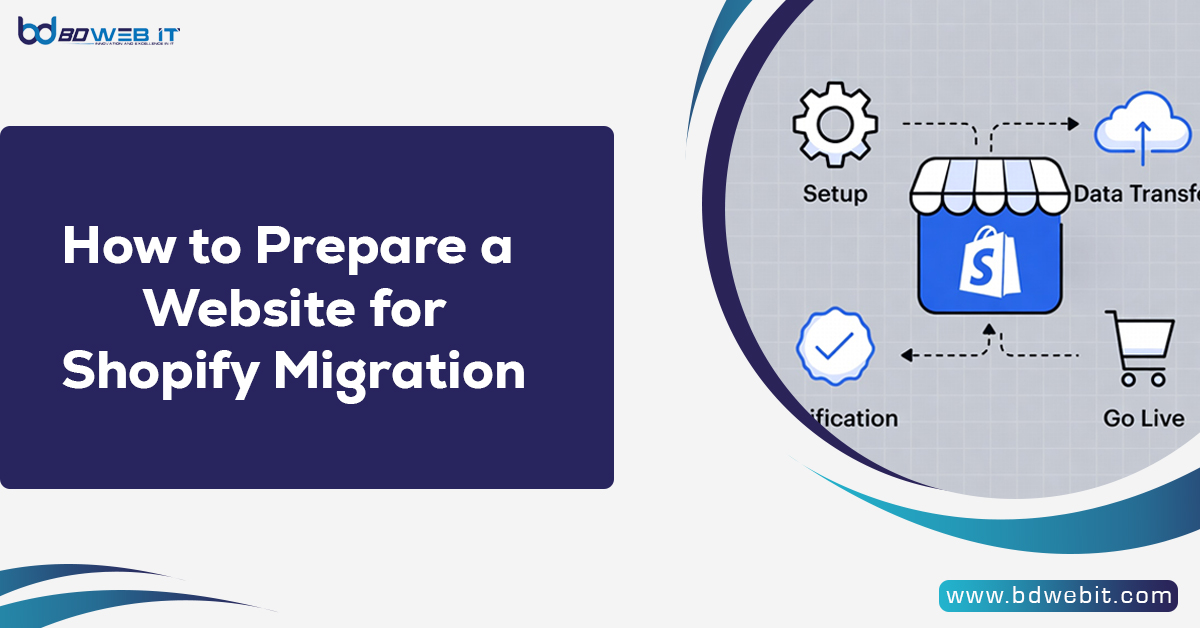
Migrating a website to Shopify can significantly improve your online store’s performance, scalability, and user experience. However, before moving your existing website to Shopify, proper preparation is essential to avoid data loss, SEO issues, or downtime. Preparing a website for Shopify migration involves auditing your current website, backing up data, organizing product information, mapping URLs, and planning SEO redirects so the transition happens smoothly without affecting your customers or search rankings. In this guide, we will walk through the key steps you should take to prepare your website before starting a Shopify migration.
Why It’s Important to Properly Prepare Your Website Before Shopify Migration
Many businesses rush into migrating their websites without planning, which can lead to broken pages, lost data, and declining search rankings. Preparing your website ensures that everything—from product listings to customer data—moves correctly to Shopify.
Proper preparation helps you:
- Prevent data loss during migration
- Maintain your SEO rankings
- Reduce downtime and technical issues
- Ensure a smooth transition for customers
- Optimize your new Shopify store structure
Think of preparation as creating a roadmap for your migration process.
Perform a Full Website Audit
The first step in preparing for Shopify migration is conducting a complete audit of your existing website.
A website audit helps you understand what content and features need to be migrated. This includes identifying important pages, product categories, blog posts, images, and downloadable resources.
During the audit review:
- Product pages
- Category pages
- Blog content
- Landing pages
- Customer accounts
- Order history
- Images and media files
- Apps and integrations
You should also identify outdated or unused content that does not need to be transferred. Cleaning up unnecessary pages will make your Shopify store more organized.
Backup Your Entire Website
Before starting any migration, always create a full backup of your existing website.
This backup should include:
- Website files
- Database
- Images and media files
- Product information
- Customer data
The migration process is made easier when you have a backup, since you have the ability to undo any issues that arise during the process.
You may either use the backup plugins available to you if you have a website on WordPress, or most hosting service providers offer full backups directly on their control panels.
Organize and Clean Your Product Data
Product data is one of the most important parts of an eCommerce store. It is important that you organize your product data before migrating your store to Shopify.
Review and clean the following data:
- Product titles
- Product descriptions
- Product images
- SKUs
- Pricing
- Inventory levels
- Product variants (size, color, etc.)
It’s important to be thorough, accurate, and consistent when migrating your product listings. Because Shopify uses structured product data, you will be able to avoid data issues by cleaning up your data before migration.
To streamline the editing process, many store owners export their product data to CSV files and then import them to Shopify.
Review Your Website Structure
Your website structure determines how users and search engines navigate your store.
Before migrating, analyze your existing site structure, including:
- Categories
- Subcategories
- Navigation menus
- URL structure
- Internal linking
Shopify has a unique URL structure, so during migration, some URLs will change by necessity. Developing a new structure that retains the old order as much as possible will help maintain your SEO value.
As much as possible, your navigation should be straightforward; this will enhance user experience.
Plan Your URL Redirect Strategy
One of the biggest SEO risks during website migration is losing rankings due to broken URLs.
When URLs change, search engines may not recognize the new pages unless proper redirects are implemented.
To prevent this issue, create a redirect mapping document that lists:
- Old URLs
- New Shopify URLs
For example:
Old URL
example.com/product/red-shoes
New URL
example.com/products/red-shoes
Shopify allows you to create 301 redirects so visitors and search engines automatically reach the correct page.
Redirect planning is crucial to maintaining organic traffic.
Export Important Website Data
Different website platforms store data in different formats, so exporting data correctly is essential.
Important data to export includes:
- Product listings
- Customer accounts
- Order history
- Blog posts
- Reviews
- Coupons and discounts
Most platforms allow exporting this information as CSV files.
Once exported, the data can be imported into Shopify using Shopify’s built-in import tools or migration apps.
Review Your SEO Elements
Maintaining SEO performance is one of the biggest concerns during a Shopify migration.
Before migrating, document all important SEO elements from your current website, including:
- Page titles
- Meta descriptions
- URL slugs
- Image alt text
- Header tags
- Internal links
You should also analyze which pages generate the most organic traffic using tools like Google Analytics or Google Search Console.
These high-performing pages should be prioritized during migration to ensure they remain optimized.
Evaluate Current Integrations and Features
Your current website may use various integrations, plugins, or custom features that may not work directly in Shopify.
Common examples include:
- Payment gateways
- Shipping calculators
- Email marketing tools
- CRM systems
- Inventory management systems
- Analytics tools
Before migrating, check whether Shopify supports these tools or if alternative apps are required.
Shopify has a large app marketplace, so most integrations can be replaced with Shopify-compatible apps.
Prepare Design and Theme Requirements
Another important preparation step is deciding how your new Shopify store will look.
You can either:
- Replicate your existing website design
- Upgrade to a modern Shopify theme
- Build a completely new design
Consider factors such as:
- Mobile responsiveness
- Page speed
- User experience
- Branding consistency
Preparing your design requirements before migration ensures your new store launches quickly without design delays.
Test Data Before Full Migration
Before moving your entire website, it’s a good idea to test the migration process.
This involves importing a small sample of data into Shopify to ensure everything works properly.
Test items may include:
- A few products
- A category page
- Customer data
- Blog posts
Testing allows you to identify formatting issues, missing images, or incorrect product variants before completing the full migration.
Set Up Your Shopify Store in Advance
Preparing your Shopify store ahead of migration can speed up the process significantly.
Before importing data, configure:
- Store settings
- Payment gateways
- Shipping rules
- Taxes
- Currency
- Email notifications
Once these basic settings are ready, you can begin importing your products and content.
Final Pre-Migration Checklist
Before launching your Shopify migration, review the following checklist:
- Complete website audit
- Full site backup created
- Product data cleaned and organized
- URL redirect map prepared
- SEO data documented
- Integrations reviewed
- Shopify theme selected
- Test migration completed
Completing these steps greatly reduces the risk of issues during migration.
Final Thoughts
Understanding how to prepare a website for Shopify migration is the only way to ensure a successful migration. Preparing your website for the migration will ensure that your products, customers, and SEO rankings are not affected in any way during the transition from your old platform to the more powerful Shopify platform.
Therefore, by carrying out the necessary audits and preparations, you will be in a position to avoid many of the challenges associated with the migration process. Preparing well for the migration will make the Shopify migration process faster, more secure, and more effective for your online business.
A successful migration to the Shopify platform will ensure better performance and experience for your eCommerce website.