


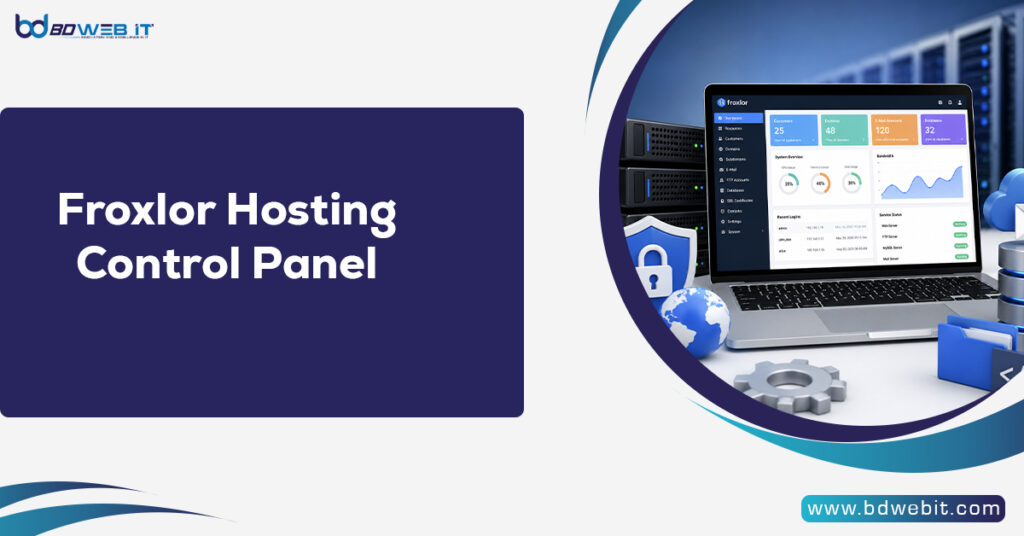
If you’re looking for a free, lightweight, and powerful hosting control panel, Froxlor Hosting Control Panel is an excellent choice. Froxlor is an open-source web hosting management panel that helps administrators manage websites, domains, email accounts, FTP users, databases, SSL certificates, and customer accounts from a simple web interface. It is especially popular among VPS and dedicated server users who want an alternative to expensive commercial control panels like cPanel or Plesk.
What is Froxlor Hosting Control Panel?
Froxlor is a free and open-source server management panel designed for Linux servers. It gives hosting providers, developers, and website owners the ability to efficiently manage multiple websites without the need for complex command-line operations.
Unlike premium hosting panels, Froxlor focuses on simplicity, speed, and low resource usage, making it ideal for small businesses, personal websites, agencies, and hosting companies.
Whether you’re managing one website or hundreds of domains, Froxlor provides an intuitive dashboard to handle your hosting environment.
Key Features of Froxlor Hosting Control Panel
1. Multi-Domain Hosting
Froxlor allows you to host multiple websites on a single VPS or dedicated server.
You can:
- Add unlimited domains
- Create subdomains
- Configure virtual hosts
- Manage DNS settings
- Separate customer accounts
This makes it suitable for hosting providers and freelancers managing multiple clients.
2. Website Management
Managing websites becomes simple with Froxlor.
Features include:
- Document root management
- PHP version selection
- SSL configuration
- Redirect management
- Custom error pages
- Domain aliases
Everything can be configured without manually editing server files.
3. Multiple PHP Versions
One of Froxlor’s most useful features is support for multiple PHP versions.
Benefits include:
- Host old and new websites together
- Switch PHP versions easily
- Improve compatibility
- Test applications safely
This is especially helpful for developers managing different projects.
4. SSL Certificate Management
Website security is essential.
Froxlor supports:
- Free Let’s Encrypt SSL
- Automatic SSL renewal
- Custom SSL certificates
- HTTPS enforcement
Installing SSL certificates takes only some clicks.
5. Email Hosting
Froxlor lets administrators create professional email accounts.
Supported features include:
- Email accounts
- Email aliases
- Forwarders
- Catch-all mailboxes
- Spam filtering
- Mail quotas
Businesses can create addresses like:
- info@yourdomain.com
- support@yourdomain.com
- sales@yourdomain.com
6. FTP Account Management
Users can create multiple FTP accounts for uploading website files.
Advantages include:
- Separate FTP users
- Folder restrictions
- Password management
- Secure file transfers
This is useful when working with teams or clients.
7. Database Management
Froxlor supports MySQL and MariaDB databases.
Users can:
- Create databases
- Delete databases
- Manage users
- Reset passwords
- Assign permissions
Popular CMS platforms such as WordPress, Joomla, and Drupal work perfectly.
User Roles in Froxlor
Froxlor includes different permission levels.
Administrator
Administrators have complete server access.
They can:
- Manage customers
- Configure services
- Monitor server resources
- Install SSL
- Manage packages
Reseller
Hosting companies can create reseller accounts.
Resellers can:
- Create customer accounts
- Allocate hosting resources
- Manage domains
- Generate hosting plans
Customer
Customers have access only to their own hosting accounts.
They can:
- Upload files
- Manage websites
- Install SSL
- Create email accounts
- Manage databases
Advantages of Froxlor Hosting Control Panel
Completely Free
Unlike commercial control panels that require monthly licensing fees, Froxlor is free.
This significantly reduces hosting costs.
Lightweight
Froxlor consumes fewer server resources than many premium alternatives.
Benefits include:
- Lower RAM usage
- Faster performance
- Better VPS efficiency
- Improved server stability
Easy to Use
The interface is clean and beginner-friendly.
Most hosting tasks can be done in minutes.
Open Source
Being open source means:
- No vendor lock-in
- Community-driven development
- Frequent improvements
- Transparency
- Customization options
Supports Modern Technologies
Froxlor supports:
- PHP-FPM
- Apache
- Nginx
- MariaDB
- MySQL
- Let’s Encrypt
- IPv6
This makes it suitable for modern web hosting environments.
Froxlor vs cPanel
| Feature | Froxlor | cPanel |
|---|---|---|
| Price | Free | Paid |
| Open Source | Yes | No |
| Multiple Domains | Yes | Yes |
| Email Management | Yes | Yes |
| SSL Support | Yes | Yes |
| Multiple PHP Versions | Yes | Yes |
| Resource Usage | Low | Higher |
| Best For | VPS, Developers, Small Hosting Providers | Shared Hosting, Enterprise |
If budget is a concern, Froxlor is a strong alternative.
Froxlor vs Plesk
| Feature | Froxlor | Plesk |
|---|---|---|
| License Cost | Free | Paid |
| Performance | Excellent | Excellent |
| Ease of Use | Easy | Very Easy |
| Resource Consumption | Low | Moderate |
| Extensions | Limited | Extensive |
| Best For | VPS Hosting | Enterprise Hosting |
Who Should Use Froxlor?
Froxlor is suitable for:
- Web developers
- Hosting providers
- Digital agencies
- Students learning Linux
- Small businesses
- Bloggers
- VPS users
- Dedicated server owners
- Freelancers managing client websites
System Requirements
A typical Froxlor installation requires:
- Debian, Ubuntu, or another supported Linux distribution
- Apache or Nginx
- PHP
- MySQL or MariaDB
- SSH access
- A VPS or dedicated server
Froxlor can run efficiently on even entry-level VPS plans.
Security Features
Froxlor includes several security options.
These include:
- HTTPS support
- SSL certificate management
- User permission controls
- Secure FTP
- Password protection
- Database isolation
- Automatic Let’s Encrypt renewal
Administrators should also keep the operating system and installed packages updated to maintain a secure server.
Performance Benefits
Since Froxlor is lightweight, websites generally experience:
- Faster loading times
- Lower CPU usage
- Lower RAM consumption
- Better server response
- Higher hosting density
This makes it ideal for affordable VPS hosting.
Common Use Cases
Froxlor can be used for many hosting scenarios.
Popular examples include:
- WordPress hosting
- Laravel hosting
- PHP application hosting
- Business websites
- E-commerce stores
- Personal blogs
- Agency hosting
- Shared hosting services
- Development and staging environments
Tips for Getting the Most from Froxlor
To maximize performance and reliability:
- Always update Froxlor to the latest stable version.
- Enable automatic Let’s Encrypt SSL renewals.
- Use PHP-FPM for improved PHP performance.
- Schedule regular database and website backups.
- Monitor server resource usage to prevent overload.
- Implement a firewall and intrusion prevention tools.
- Use strong passwords and enable secure SSH practices.
Final Thoughts
The Froxlor Hosting Control Panel is an outstanding choice for anyone seeking a free, secure, & lightweight web hosting management solution. It offers essential features such as domain management, email hosting, database administration, SSL integration, FTP account creation, and multi-user support without the recurring licensing costs associated with commercial control panels.
Whether you’re a beginner setting up your first VPS, a developer managing multiple projects, or a hosting provider looking for a scalable open-source solution, Froxlor delivers reliable performance and flexibility. Its low resource consumption, intuitive interface, and strong feature set make it one of the best free hosting control panels available for Linux servers today.