


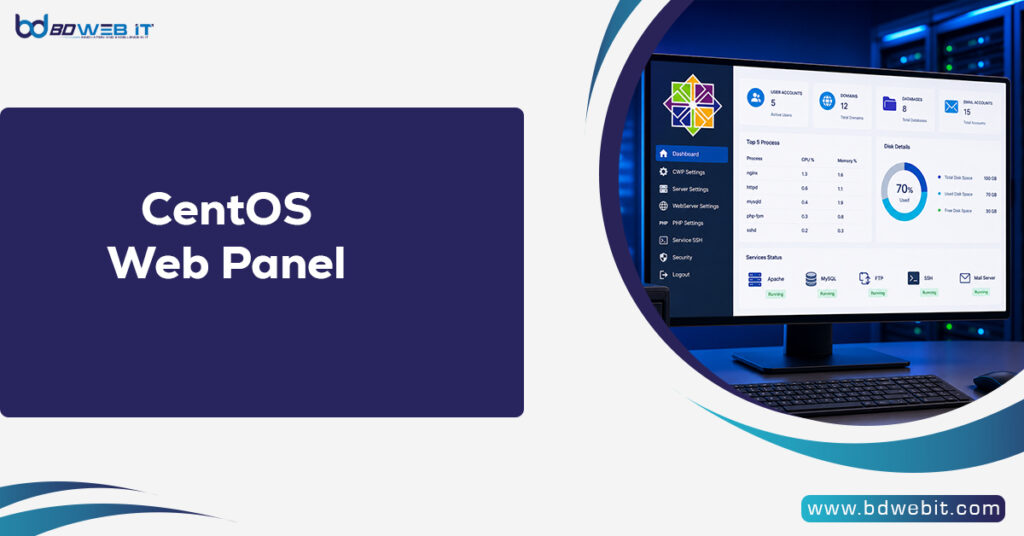
CentOS Web Panel (CWP) is a free and powerful web-based server management control panel designed to simplify Linux server administration, website hosting, and system management. It provides an easy-to-use graphical interface that allows administrators, developers, and hosting providers to manage websites, domains, databases, emails, security settings, and server resources without relying entirely on complex command-line operations. Built primarily for CentOS-based servers, CWP has become a popular alternative to paid control panels because it combines essential hosting tools with automation features that reduce the technical workload of server management.
Understanding CentOS Web Panel
Managing a Linux server traditionally requires advanced knowledge of commands, configuration files, and system services. Linux is powerful and flexible, but repetitive tasks can be tedious for new users and even for experienced administrators. CentOS Web Panel addresses this challenge by offering a centralized dashboard where users can perform common server operations through a browser interface.
The control panel is designed mainly for web hosting environments. If you’re managing personal websites, business applications, or multiple client sites, CWP provides tools to manage essential hosting needs from one location. It supports features such as Apache and Nginx configuration, PHP management, DNS management, FTP accounts, email services, database administration, & security controls.
Key Features of CentOS Web Panel
One of the biggest advantages of CentOS Web Panel is its extensive feature set. It includes many tools that are normally found in commercial hosting panels.
1. Website and Domain Management
CWP makes it simple to create and manage websites. Administrators can add domains, configure virtual hosts, create subdomains, and manage website files through an integrated file manager or FTP services.
For hosting providers, this functionality allows multiple websites to run on a single server while maintaining separate accounts and configurations. Users can also manage domain-related settings without manually editing server configuration files.
2. Database Administration
Modern websites rely heavily on databases, especially applications built with platforms such as WordPress, Joomla, and custom PHP frameworks. CentOS Web Panel includes database management features that simplify the creation and maintenance of MySQL and MariaDB databases.
Through the control panel, administrators can create databases, assign users, manage permissions, and access database tools such as phpMyAdmin. This reduces the need for direct database command-line management.
3. Email Hosting Management
Email services make up an important part of professional hosting environments. CWP provides tools for creating email accounts, managing mailboxes, configuring spam protection, and controlling email-related settings.
Businesses can use their own domain-based email addresses, improving brand credibility compared with using generic email services.
4. PHP and Application Management
Different websites often require different PHP versions and configurations. CentOS Web Panel allows administrators to manage PHP versions & settings according to application requirements.
This flexibility is especially useful for developers who maintain multiple websites using different technologies. They can adjust PHP modules, limits, and configurations without manually changing server files.
5. Server Monitoring and Resource Management
A major responsibility of server administration is monitoring performance. CWP provides information about CPU usage, memory consumption, disk space, running services, and server activity.
These monitoring tools help administrators identify problems before they affect website availability. Regular monitoring can improve reliability and reduce unexpected downtime.
Security Features in CentOS Web Panel
Security is one of the most important aspects of server management. A poorly configured server can become vulnerable to attacks, malware infections, and unauthorized access.
CentOS Web Panel includes several security-related tools, including firewall management, login protection, security configuration options, and backup features. Administrators can configure access rules, monitor server activity, and apply recommended security practices.
However, using a control panel does not automatically guarantee complete security. Server owners should still perform regular updates, use strong passwords, monitor logs, and follow proper cybersecurity practices.
Benefits of Using CentOS Web Panel
The popularity of CentOS Web Panel comes from several practical benefits.
Cost-Effective Hosting Solution
Unlike many commercial control panels that require monthly licensing fees, CWP offers a free version. This makes it attractive for individuals, small businesses, and organizations that want professional server management capabilities without additional software costs.
A premium version is also available with additional features and support options for users who need enhanced functionality.
Beginner-Friendly Interface
Although Linux server management can be complicated, CWP provides a visual interface that makes many administrative tasks easier. Beginners can manage hosting environments without learning every underlying command immediately.
At the same time, experienced administrators can save time by automating routine tasks.
Improved Productivity
Server administrators often perform repetitive operations such as creating accounts, configuring domains, and managing services. CWP streamlines these processes, allowing professionals to focus on more important technical tasks.
Installing CentOS Web Panel
Installing CWP requires a clean supported Linux server environment. Users usually install it on a fresh server installation, because the panel changes a number of system settings during the installation.
The installation process generally involves preparing the operating system, updating packages, setting the hostname, downloading the installation script, and allowing the installer to configure required services.
Before installation, administrators should ensure that they have:
- A compatible server operating system
- Root access
- A properly configured hostname
- Sufficient hardware resources
- A reliable backup strategy
Careful preparation helps prevent installation problems and configuration conflicts.
CentOS Web Panel vs Other Control Panels
The hosting industry includes several popular control panels. Paid solutions often provide polished interfaces, extensive documentation, and official support. However, CWP stands out because it offers many hosting features without requiring expensive licensing.
Compared with premium alternatives, CWP may require more technical knowledge for troubleshooting and advanced customization. However, for users comfortable with Linux administration, it provides strong value and flexibility.
The best choice depends on the user’s requirements, budget, technical experience, and expected hosting workload.
Limitations of CentOS Web Panel
While CWP provides many useful features, it is not perfect. Users should consider some limitations before adopting it.
First, it is primarily designed around CentOS-based environments, although operating system compatibility depends on current project support. Changes in Linux distributions and software ecosystems may affect long-term compatibility.
Second, beginners may still need some Linux knowledge for advanced troubleshooting. A control panel simplifies administration, but it does not replace understanding server fundamentals.
Finally, large enterprise hosting environments may require more specialized solutions with advanced automation, commercial support, and extensive scalability features.
The Future of CentOS Web Panel
As web hosting continues evolving, server management tools remain important for simplifying complex infrastructure. Control panels like CWP help bridge the gap between powerful Linux servers and users who need efficient management tools.
With increasing demand for affordable hosting solutions, lightweight server management, and greater automation, CentOS Web Panel continues to serve as a practical option for many hosting environments.
Conclusion
CentOS Web Panel is a powerful server management platform that simplifies Linux hosting administration through an accessible web interface. It provides essential features for managing websites, databases, emails, security settings, and server resources while reducing dependence on manual command-line operations. Although it requires proper configuration and ongoing maintenance, CWP offers an affordable and flexible solution for individuals, developers, and hosting providers who want greater control over their servers. For users seeking a balance between functionality, cost, and management convenience, CentOS Web Panel remains a valuable tool in the world of web hosting.